
Blog
How to Track AI Overviews and AI Mode Performance in Google Search Console
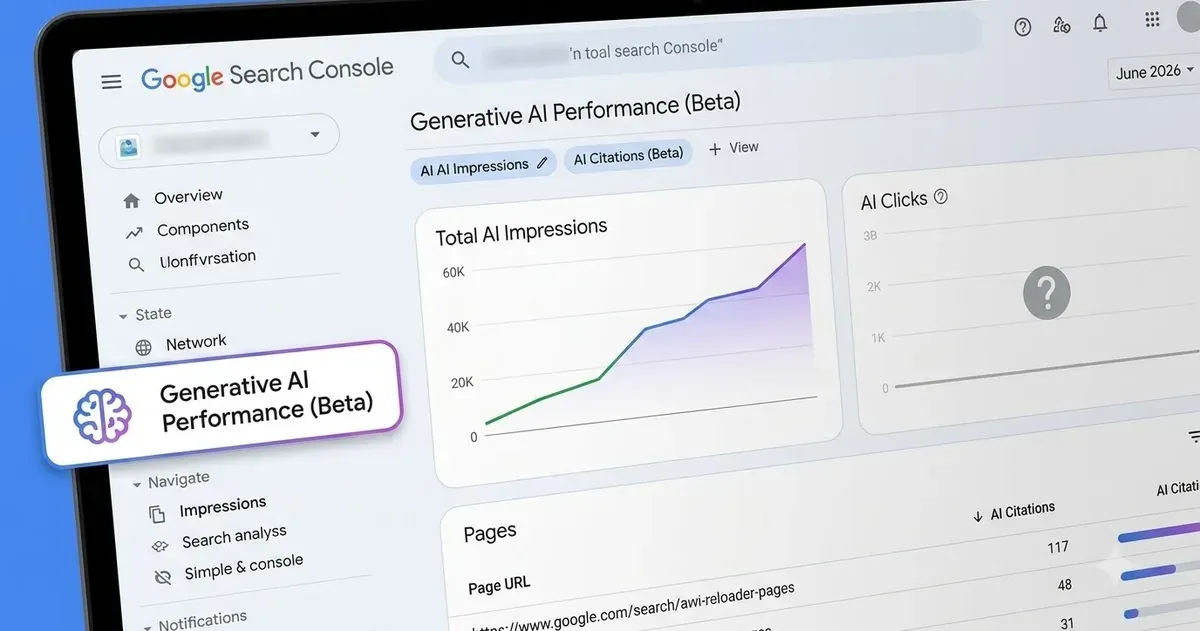
For two years, anyone doing SEO has been flying half-blind. Your pages were showing up inside Google’s AI Overviews and its conversational AI Mode, and you had almost no clean way to prove it. Search Console lumped everything together. That changed on June 3, 2026, when Google rolled out a dedicated generative AI performance report. It is genuinely useful. It is also, in this first version, frustratingly thin. Here is what it tracks, what it hides, and how to get value out of it anyway.
What is the new generative AI report in Search Console?
Google’s generative AI performance report is a Search Console view, launched in beta on June 3, 2026, that isolates how often your pages appear inside AI-generated search experiences. It splits the data into two surfaces: Search, which covers AI Overviews and AI Mode, and a separate report for Google Discover.
Before this, an appearance inside an AI Overview was blended into your ordinary Search performance numbers. You could watch traffic move and guess at the cause. Now the AI surfaces get their own line. Google’s Search Central team introduced it as a way for site owners to monitor performance in AI features directly, instead of inferring it.
One detail worth knowing up front: the data backfills to roughly May 18, 2026, even though the announcement landed on June 3. So when you first open the report, you are not starting from zero. A few weeks of history are already sitting there.
What does an “impression” mean in an AI Overview?
An impression in this report counts each time one of your URLs is shown as a cited or referenced source inside an AI feature. In an AI Overview, that means your link appears in the sources Google attaches to its generated answer. In AI Mode, it means your page is referenced in the conversational response.
This is the part people get wrong. An impression here is not a visit. It records that Google’s AI leaned on your page enough to cite it. That is still real signal. If a competitor gets cited on a query and you do not, you now have a number that proves the gap instead of a hunch.
You can slice the impressions by page, by country, by device, and by date. That is enough to answer the practical questions: which of my pages are feeding the AI, in which markets, and is it trending up or down.
What the report does not show, and why that matters
Here is the catch, and it is a big one.
The version 1 report tracks impressions and nothing else. No clicks. No click-through rate. No average position inside the answer. No query data. Independent analyses of the report have been blunt about this being the central weakness, and they are right.
Think about what is missing. You can see that you were cited, but not whether anyone clicked through from the AI answer to your site. You can see you appeared, but not whether you were the first source Google quoted or the fifth one buried under an expander. Position inside a generated answer probably decides whether a human ever notices you, and right now that number does not exist.
So treat the report for what it is: a visibility counter, not a traffic or conversion tool. It tells you that you are in the room. It says nothing about whether anyone shook your hand. This is the shift we cover in whether SEO is dead or just evolving: the metrics are changing shape, but being the source an engine trusts still wins.
Google has said more metrics are coming over time. The obvious candidates are clicks and queries. Until those land, you are measuring reach, not results.
How to actually use the AI performance report today
Use the report to find which pages already earn AI citations, protect and expand that content, and spot the topics where you are absent but should not be. Then pair it with your normal Search data to estimate the traffic story the AI report leaves out.
A few moves that work even with impressions-only data:
- Find your AI-cited pages and study them. Sort by impressions. The pages Google’s AI trusts enough to cite tend to share traits: a clear direct answer near the top, clean structure, real expertise. Reverse-engineer what those pages do, then apply it to your weaker ones.
- Watch for drops. A page that was earning AI impressions and then falls off is a warning. Google either found a better source or your content went stale. Impressions-only data is perfectly good for catching this early.
- Compare surfaces. If a page pulls strong ordinary Search impressions but almost no AI impressions, the AI is not picking you for those queries. That is usually a content-format problem, a structure or directness issue, more than a pure ranking one.
- Bridge the click gap yourself. Since the report will not tell you about clicks, look at the same pages in your standard Search performance report and your analytics. If AI impressions climb while total clicks to those pages fall, the AI is answering the question without sending the visit. Painful, but you want to know.
Getting cited by AI leans on the same fundamentals that used to win featured snippets: answer the real question early, be a credible source, and structure the page so a machine can lift a clean answer straight out of it. A lot of it also comes down to entity-based SEO, making sure Google understands who you are and trusts you as a source. That trust is exactly what our SEO and reputation work is built to earn. The reporting is new. The work underneath it is not.
Frequently Asked Questions
When did Google launch the AI performance report in Search Console?
Google introduced the generative AI features report in beta on June 3, 2026, with data backfilled to around May 18, 2026. A wider global rollout followed through August 2026.
Does the report show clicks from AI Overviews?
No. The first version tracks impressions only. It does not include clicks, click-through rate, average position, or query data. Google has said additional metrics may be added over time.
What is the difference between AI Overviews and AI Mode in the report?
Both sit under the Search surface. AI Overviews are the generated summaries shown above traditional results, while AI Mode is Google’s conversational search experience. The report counts your citations across both, and gives Google Discover its own separate view.
How is an AI impression different from a normal search impression?
A normal impression counts when your listing appears in the results. An AI impression counts when your page is cited or referenced as a source inside a generated AI answer. Google reports them separately so the two never get blended.
Can I use this report to prove AI search is affecting my traffic?
Only partly. It proves your visibility inside AI answers through impressions. Because it omits clicks, you have to combine it with your standard Search performance data and analytics to estimate the real traffic impact.
Sources: