Shipping now
AIVIO: Offline AI Video Reframing App for Windows
A Windows app that reframes your video to vertical and writes AI-search metadata, all offline on your own machine. One-time purchase, no subscription, and your footage is never uploaded.
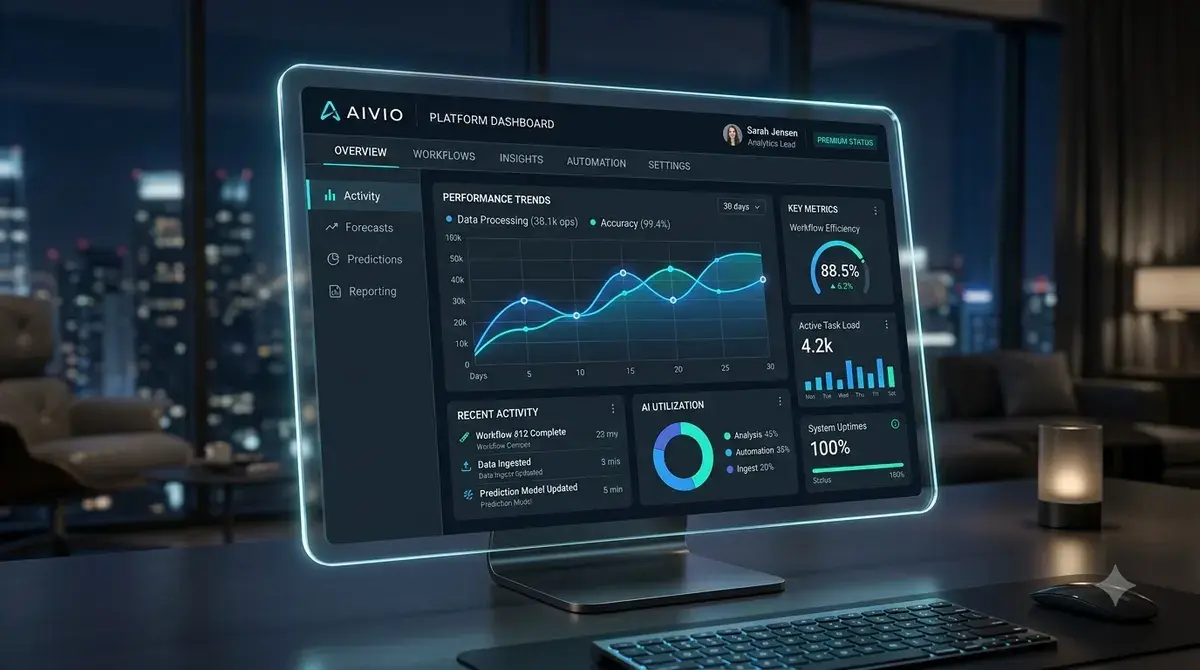
At a glance
What it does
- Subject tracking that holds through cuts, including multi-camera footage
- Auto-reframe to 9:16, or keep your original 16:9
- Metadata written for both search engines and AI answer engines
- Photo and document tagging for JPG, PNG, WebP, TIFF, and PDF
- Video processing runs on your own machine, your footage is never uploaded
Point AIVIO at a video and it follows the person you care about across cuts, even in footage shot on multiple cameras, and keeps them centered. It reframes to a clean 9:16 for Shorts, Reels, and TikTok, or leaves the original 16:9 alone if that’s what you want. Then it writes the titles, descriptions, and tags to go with the result, built for classic search engines and for the AI answer engines (ChatGPT, Gemini, Perplexity) people now search through instead.
The same metadata engine works on photos and documents. Point it at a JPG, PNG, WebP, TIFF, or PDF and it embeds the same kind of optimized tagging directly into the file.
Ownership and pricing
AIVIO is a one-time purchase, not a subscription. It’s licensed for up to five devices, runs on Windows 10 and 11 (64-bit), and includes free updates and a 30-day money-back guarantee. Check the Gumroad listing for the current price.
You bring your own AI key. Gemini, OpenRouter, and Groq all have a free tier, and the app links you straight to getting one, so there’s no ongoing fee back to us. Video and photo processing runs offline, on your machine; the one step that reaches out to the internet is metadata generation, which calls whichever provider key you’ve supplied.
Installing it
AIVIO is a new independent app, so Windows may show a blue “Windows protected your PC” screen the first time you run the installer. That’s normal for software that hasn’t built up a download history with Microsoft yet, and it doesn’t mean anything is wrong with the file. Double-click the installer, click “More info” on the SmartScreen notice, then “Run anyway,” and the install finishes on its own from there.
Common questions
Does my footage get uploaded anywhere? No. Video and photo processing runs locally, on your own machine. The only step that calls out is metadata generation, and that goes to whichever AI provider you’ve supplied a key for.
Do I need to pay for an AI subscription too? No new subscription. You do need your own API key, but Gemini, OpenRouter, and Groq all offer one for free, and AIVIO links you to getting it during setup.
Is this a subscription? No. It’s a one-time purchase covering up to five devices, with free updates and a 30-day money-back guarantee.
Get AIVIO
Reframe any video vertical, track the subject through every cut, and write the search and AI metadata to match, all on your own machine.